Data Deletion Instructions
We value your privacy. If you wish to permanently delete your account and data, follow this simple guide.
1
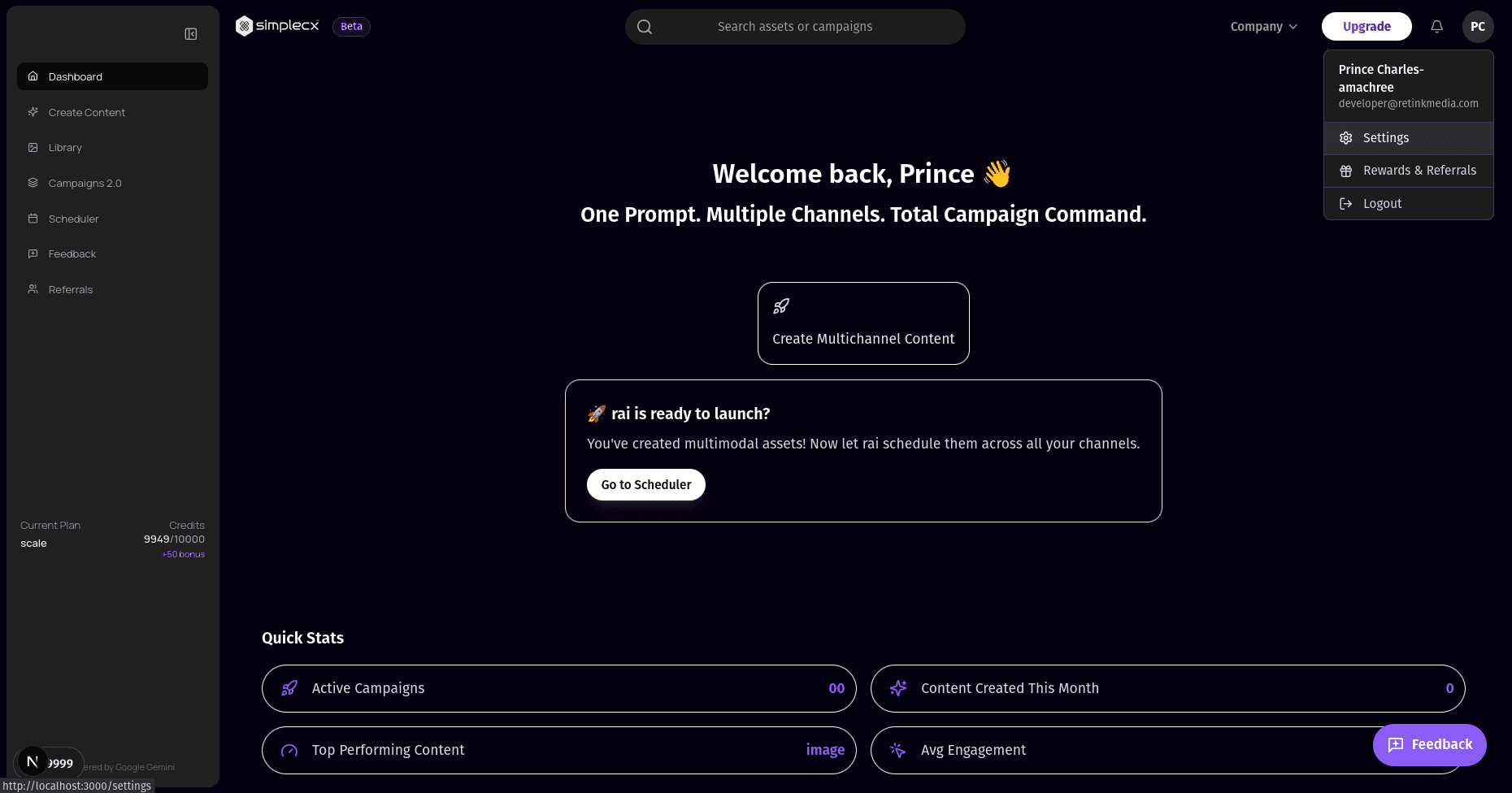
Go to Settings
Log in to your simplecx dashboard. Click on your profile avatar in the top right corner and select Settings from the dropdown menu.
2
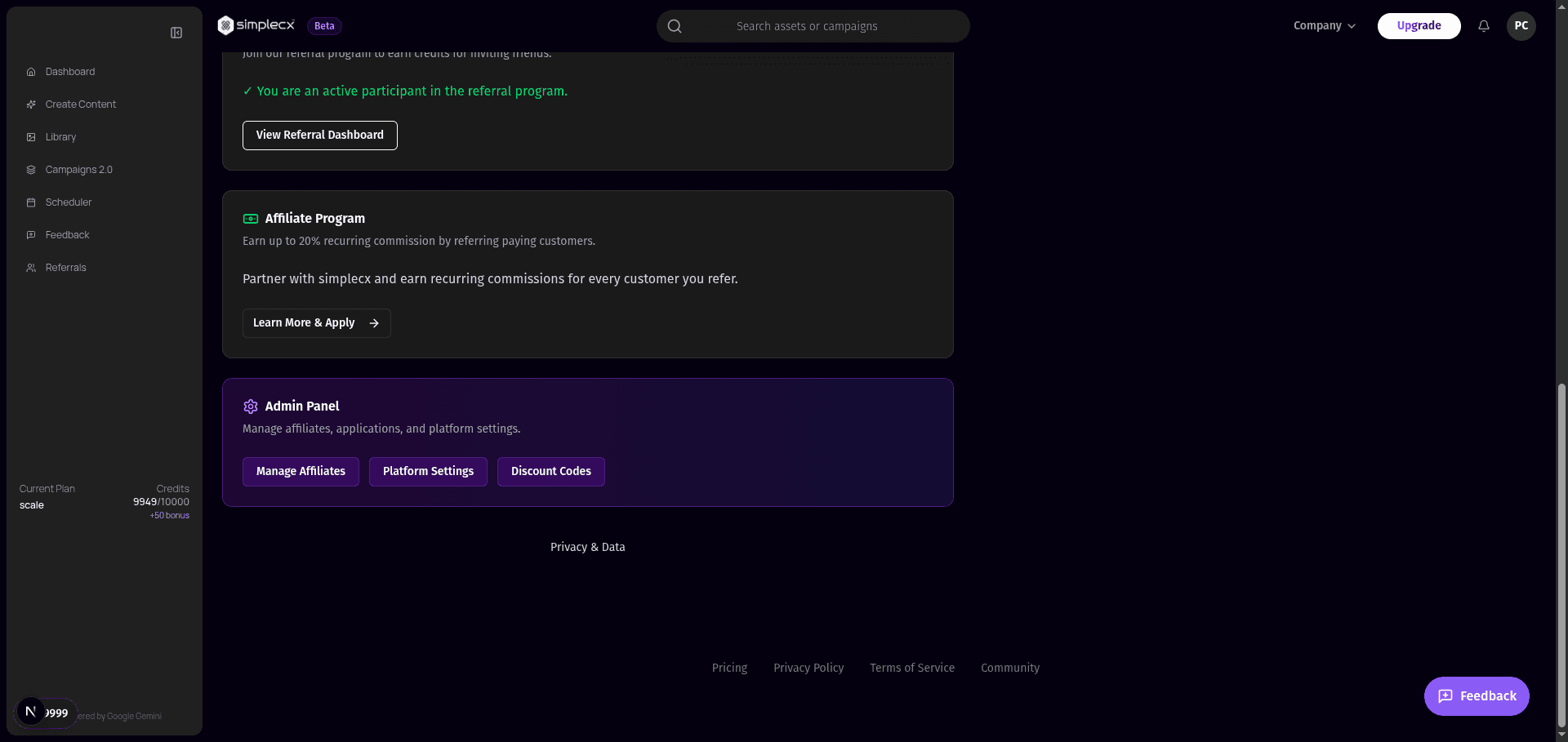
Access Privacy & Data
On the Settings page, scroll down to the footer area. Click on the Privacy & Data link located next to the Privacy Policy.
3
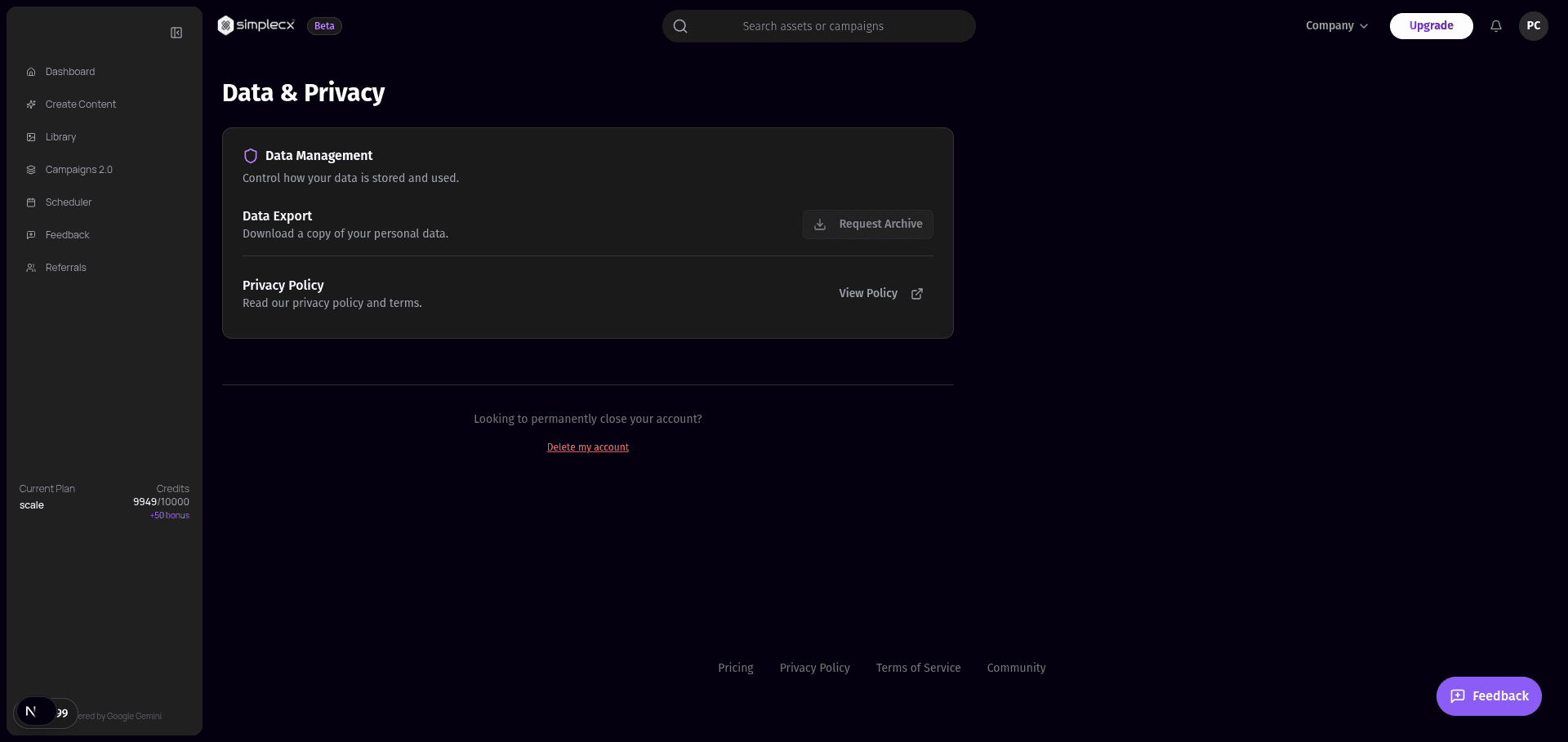
Request Deletion
On the Data & Privacy page, find the Delete my account link at the very bottom. Click it and follow the confirmation prompts to schedule your deletion.
Important Info
Grace Period: Your account enters a 30-day suspension period before permanent deletion.
Cancellation: You can cancel the deletion request anytime during the 30 days by simply logging in.
GDPR Compliant